
01
Complete property records
Main photos and galleries, clear areas and specifications, and a property PDF you can share with clients.
Give your team the context to move forward. Properties, client needs and sales follow-ups — connected from first enquiry to the final commission.
Record the budget, preferred areas and property specifications.
Compare available properties with the client’s requirements.
Assign an owner, a date and a clear next step.
Keep sale details, commissions and attachments together.
From property details to sales commissions, keep the context your team needs in one place.
Main photos and galleries, clear areas and specifications, and a property PDF you can share with clients.
Record budgets and preferred areas. Review matching properties alongside contact history and follow-ups.
Connect an enquiry to an existing or new client, then assign groups of clients to your sales team.
Record participating employees, their commissions, company profit and receipt attachments.
Organize tasks by status, owner and due date, and review progress on the task board.
Track developers, handover dates and client booking deposits, including the responsible employee and commission.
Actual product interfaces to help you understand the workspace before booking your demo.
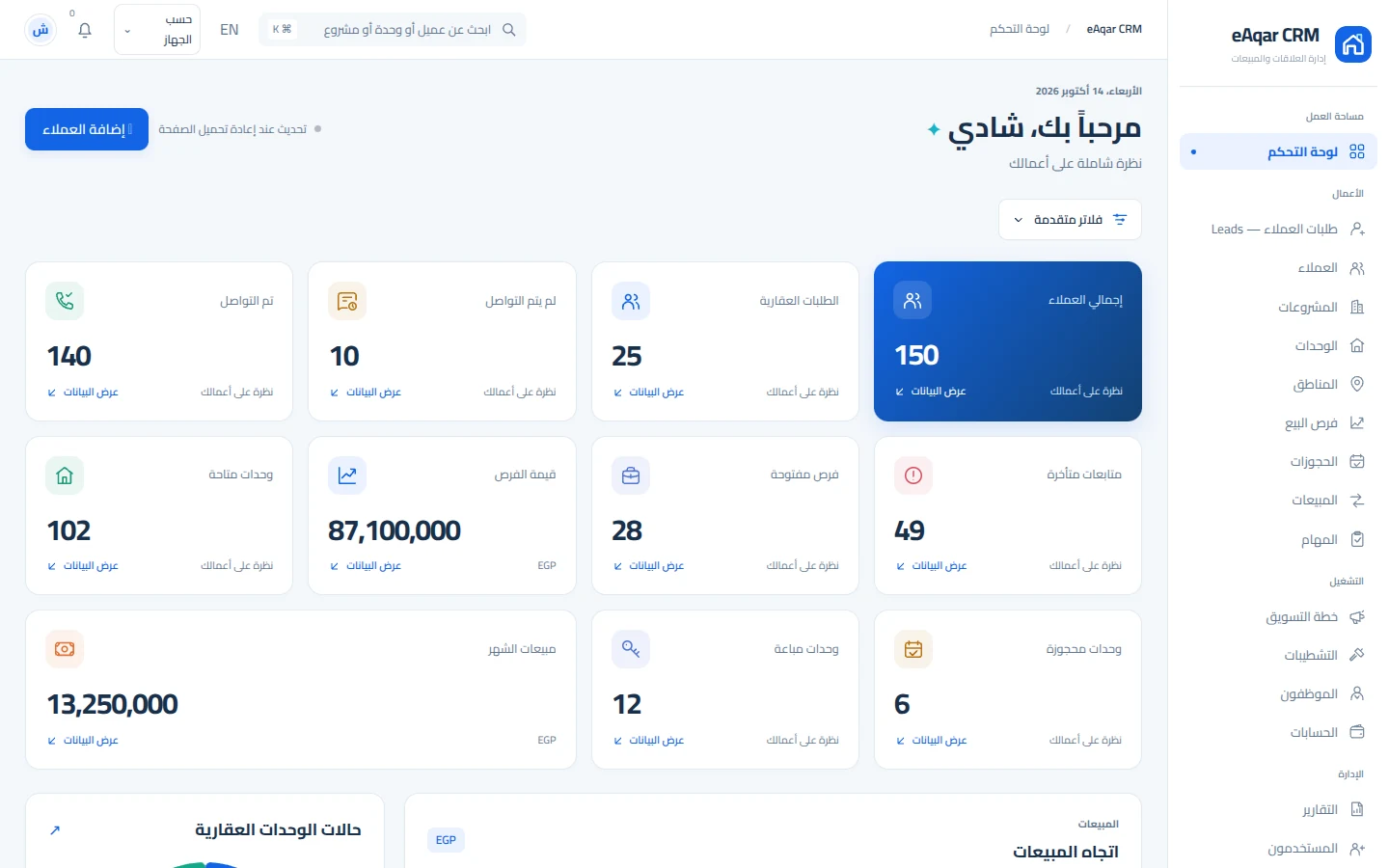
Review client, property and sales indicators, then open the records behind each statistic.
Actual screens from a demo installation. Names and figures are illustrative.
Keep management and your team connected to the same property and client records.
Review performance indicators, sales, company profit and expenses.
Review assigned clients, their requirements and matching properties.
Follow up on assigned units and record availability and owner updates.
Organize tasks, booking deposits and project attachments in one place.
Track expenses and finishing projects with their dates, and attach images, contracts and invoices.
Tell us how your company works, and we will walk you through the platform in the context of your daily operations.
Yes. The platform supports both languages, with light and dark appearance options inside the dashboard.
Yes. Roles and permissions organize access. Property owner phone numbers can be hidden from sales staff according to their permissions.
Export a PDF with the property details and photos, then share the document link via WhatsApp.
Yes. Contact us to book a demo covering properties, clients, sales and team follow-ups.
Book a demo with EMarbles to explore how eAqar CRM organizes your properties, clients and daily follow-ups.